Sound Explorations
WEB - ANDROID - OSX
Segments
A sound synthesis tool, based on Semantic Vector Synthesis (Conceptual transformation of audio material).
AnalyzeSound Hunt
An outdoor sound adventure game. Hide sounds at specific GPS coordinates and challenge friends to find them.
ExploreAssemblage
A freeform score editor - sequencer, inspired by John Cage's Bracket Notation system.
ScoreSpin
Advanced motorcycle analytics with GPS tracking, performance metrics and engine health monitoring.
RideYour App
We buid custom made application and web pages ready to deploy. Got an idea? Need Help? Get in touch.
Join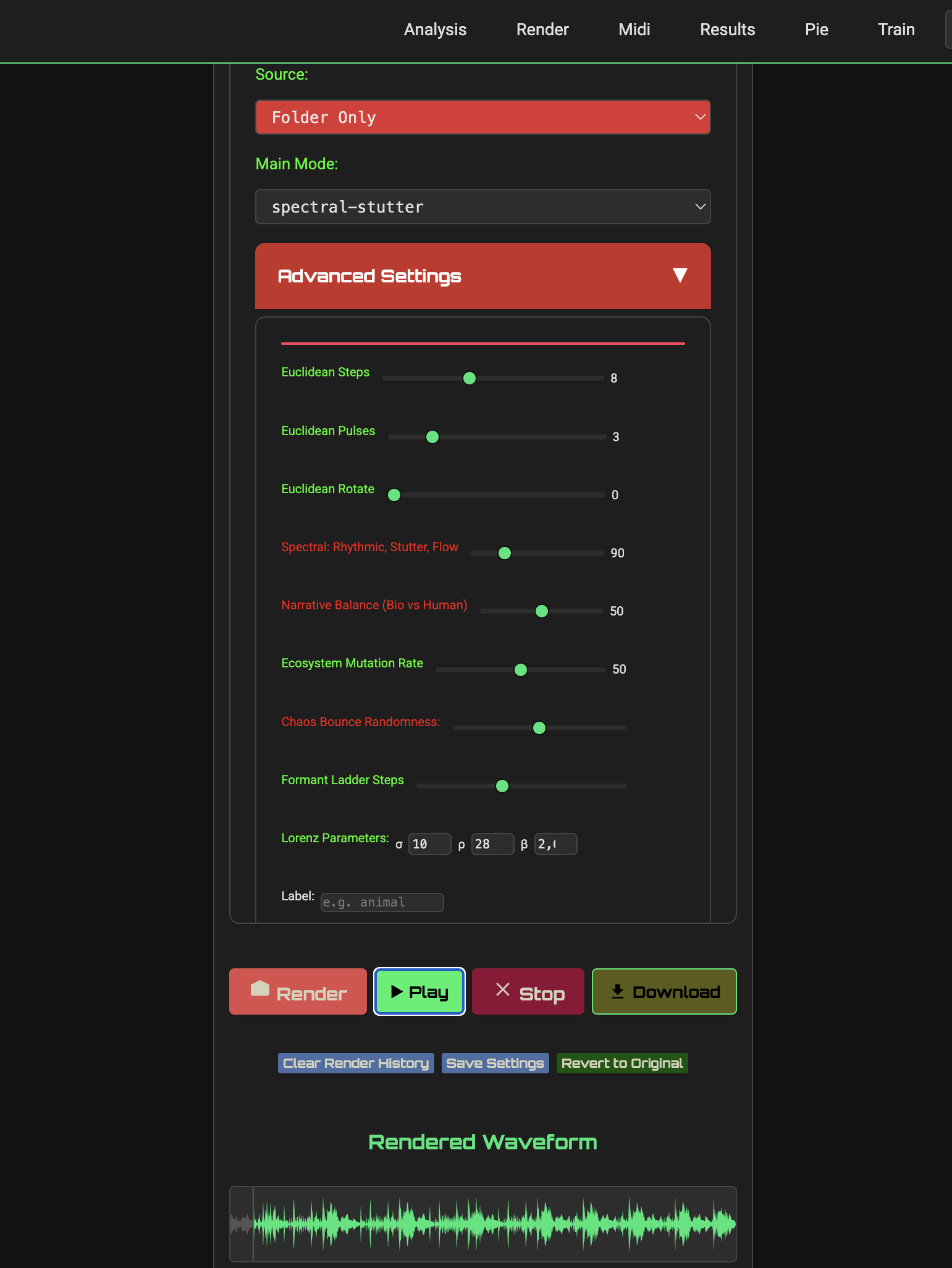
Segments

Segments is an experiment in framing, a way of leaning into the uncertainty that soundscapes already embody. Based on analysis and resynthesis, it sits at the threshold between ecological listening and aesthetic intervention, between determinacy and chance. Segments introduces an extra layer of sound synthesis, the concept of Semantic Vector Synthesis, a novel way to create musical compositions based on the meaning of sounds. Segments generates up to eight seperate track bounces ready for download.
- Folder, single file and real-time audio analysis
- Multi-channel rendering
- Diverse playback algorithms (Order, Lorenz, Markov and more)
- Export rendered mixes and analyzed segments
- Impulse response reverb and pitch shifting
- EQ, filters, and custom model training
- Tag-to-MIDI conversion and user script import - Web Only.
- Requires internet connection for AI features
- Comprehensive HELP section for detailed guidance
- Become a Beta Tester for this app.
Creative Applications
Sound Design & Composition
Analyze any sonic environment and recompose elements into something entirely new.
Environmental Monitoring
Track human-made sounds within natural environments to study ecological impact.
Urban Sound Mapping
Identify noise pollution patterns in cities.
Algorithmic Experimentation
Design custom JavaScript playback algorithms for unique sonic behaviors.
Field Recording Management
Quickly tag and organize raw audio clips by sound type.
Immersive Audio Production
Generate multi-channel audio for speaker arrays and installations.
Playback Modes Examples
- Cellular-Repeat:Segments repeat in a 1-D cellular automaton: For every bar a segment is either kept, muted or replaced by its spectral neighbour. In Advanced Setting adjust Cells, Rules, Seed.
- Tidal Rhythm: Sorts segments by duration, assigns start times within a cycle (default 10 seconds) and applies randomization to introduce variability.
- Euclidean: Arrange segments based on Eyclidean algorithm. In Advanced Setting adjust Steps, Pulses and Rotation.
- Quantum: Introduces a quantum-inspired behavior for ordering audio segments, simulating the concept of a quantum wave function and its collapse upon measurement. Unlike deterministic modes like "low→high" (sorting by frequency) or "random" (uniform shuffling), the "quantum" mode balances structure (favoring high-intensity segments) with randomness (probabilistic selection).
- Narrative Journey: Order like: Start with natural sounds, build tension with Man-made intrusions, climax in hybrids, resolve in harmony. In Advanced Setting adjust Narrative Balance between Human-made and Natural segments.
Multiple Renders
- Segments spread up to eight (8) different render files.
- Each 'virtual output' (1-8) is filled with segments based on user defined criteria like segment duration, frequency, intensity (RMS), label, category.
- Multiple Renders, is the result between the combination of the current Playback Mode and criteria set by user in this section.
- Custom mode, offers a deeper and more flexible access to the generation of segments per channel output.
Reverb
- A convolution reverb engine, based on a high-quality Impulse Response.
- Add reverb only on "Biophony" segments.
- Add reverb only on "Anthropophony" segments.
- By label – Reverb is applied only when the segment label matches (case-insensitive).
Oracle

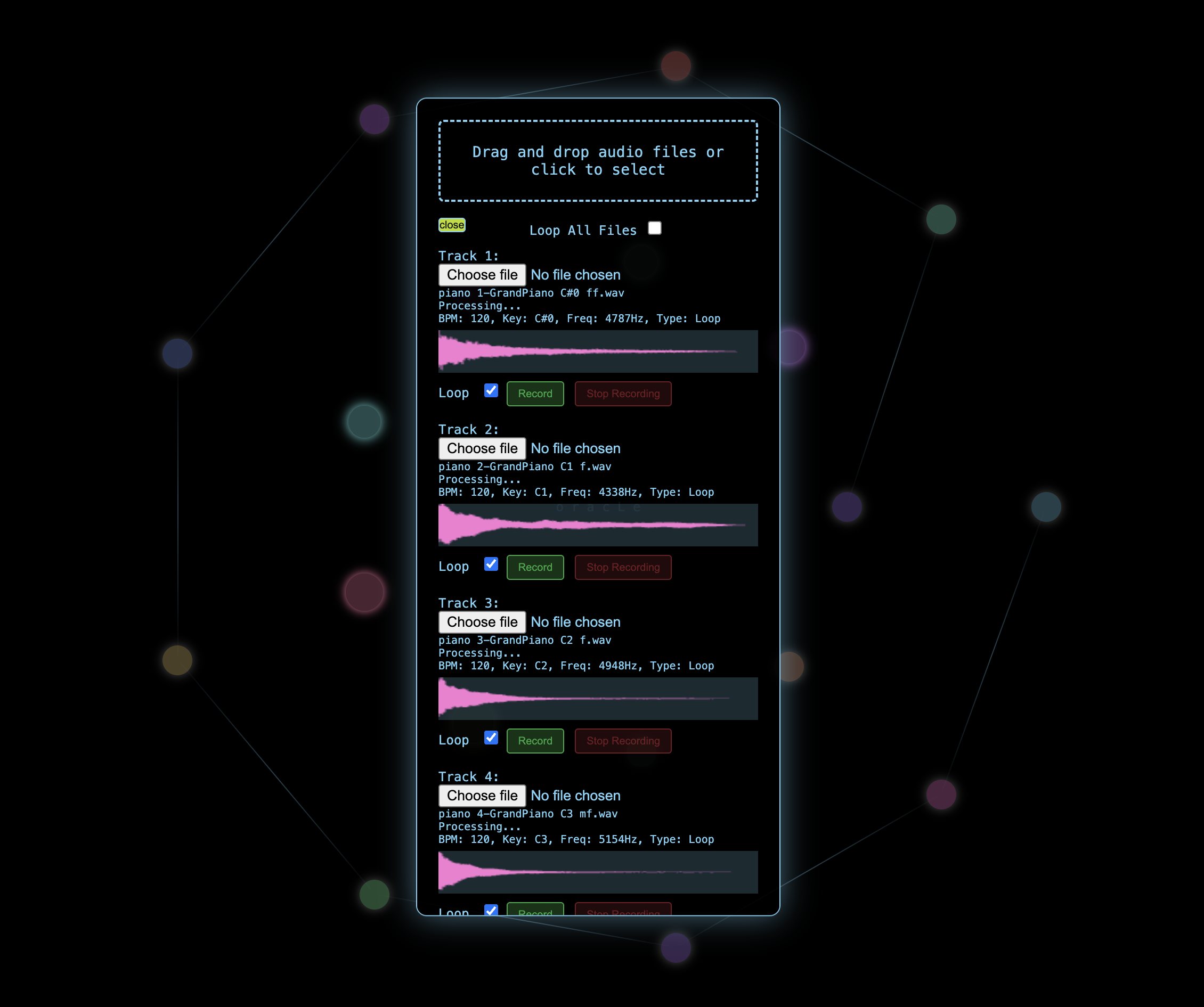
Meet your musical fortune teller. Oracle blends up to 10 audio sources into continuously evolving, minimalist soundscapes. Load sounds, adjust parameters using the nodes interface, let the Oracle generate a music prediction, a unique mix based on your sounds and settings.
- 10-track mixing with blend controls
- Scales (12-Tone, Ligeti, Messiaen, Hexany, and more)
- Pitch and BPM detection
- Scale ordering (transpose, filter, reorder)
- Silence insertion and reverb
- Many playback modes (Random, Markov, Frequency, Scale, BPM)
- Comprehensive HELP section for detailed guidance
- Black Panther Version > Web - White Night Version > Android
- Become a Beta Tester for this app.
Creative Applications
Musical Inspiration
Feed Oracle pitched samples and let it generate unexpected arpeggios and harmonies in your preferred scales.
Generative Soundscapes
Transform field recordings into evolving audio environments—perfect for installations or compositional starting points.
Live Performance Tool
Build sets that evolve naturally: start with initial sounds, process, then layer new elements while maintaining seamless transitions.
Effects Processing
Route Oracle's output through hardware effects to create rich, textured sound sources for live performance.
How to Use
- BEST METHOD: Start from the Number of Tracks Node (first Node on your right - see Tooltip) and follow the Nodes of the mandala down in series until you reach the Process Audio Node. Adjust settings as you go.
- Set MAX BLEND around 80%. A basic feature of the app.
- Set Loop Time around ONE minute to render quicker (Default 5 minutes).
- Check Loop on each track before Process Audio.
Settings
- Number of Tracks (2–10): Sets how many audio files to upload or record. Default: 5.
- Project BPM (60–240): Sets the project tempo for alignment (affects visualization, not playback).
- Max Blend (0–100%): Controls track overlap intensity.
- Wet/Dry Mix (0–100%): Balances reverb and original audio.
- Reverb Time (0.1–5s): Sets reverb decay length.
- Loop Duration (0.1–10 min): Defines the output mix duration.
- Algorithm: Chooses track ordering (e.g., Sequential, Random, Markov Chain, Scale-based, Frequency-based, Tempo-based).
- Musical Scale: Filters tracks by scale (e.g., Major, Minor, Pentatonic and many more exotic scales).
- Scale Behavior: Defines scale application (Filter, Transpose, Reorder).
- Playback Rate (0.5–2x): Adjusts playback speed.
- Preserve Pitch: Maintains pitch when changing playback rate (checked by default).
- Silence Percentage (0–100%): Adds silence between tracks.
Processing Audio
- Access: Click the Process Audio node (pink, labeled "Process Audio").
- Action: Combines uploaded or recorded tracks based on parameters (e.g., reverb, playback rate, algorithm). The process uses the Web Audio API to mix tracks offline.
- Status: Shows "Processing audio..." during processing and "Audio processed successfully" when complete. The audio player and waveform display appear automatically.
- Note: Ensure all required tracks are uploaded or recorded, or the status display will show an error.
Relics

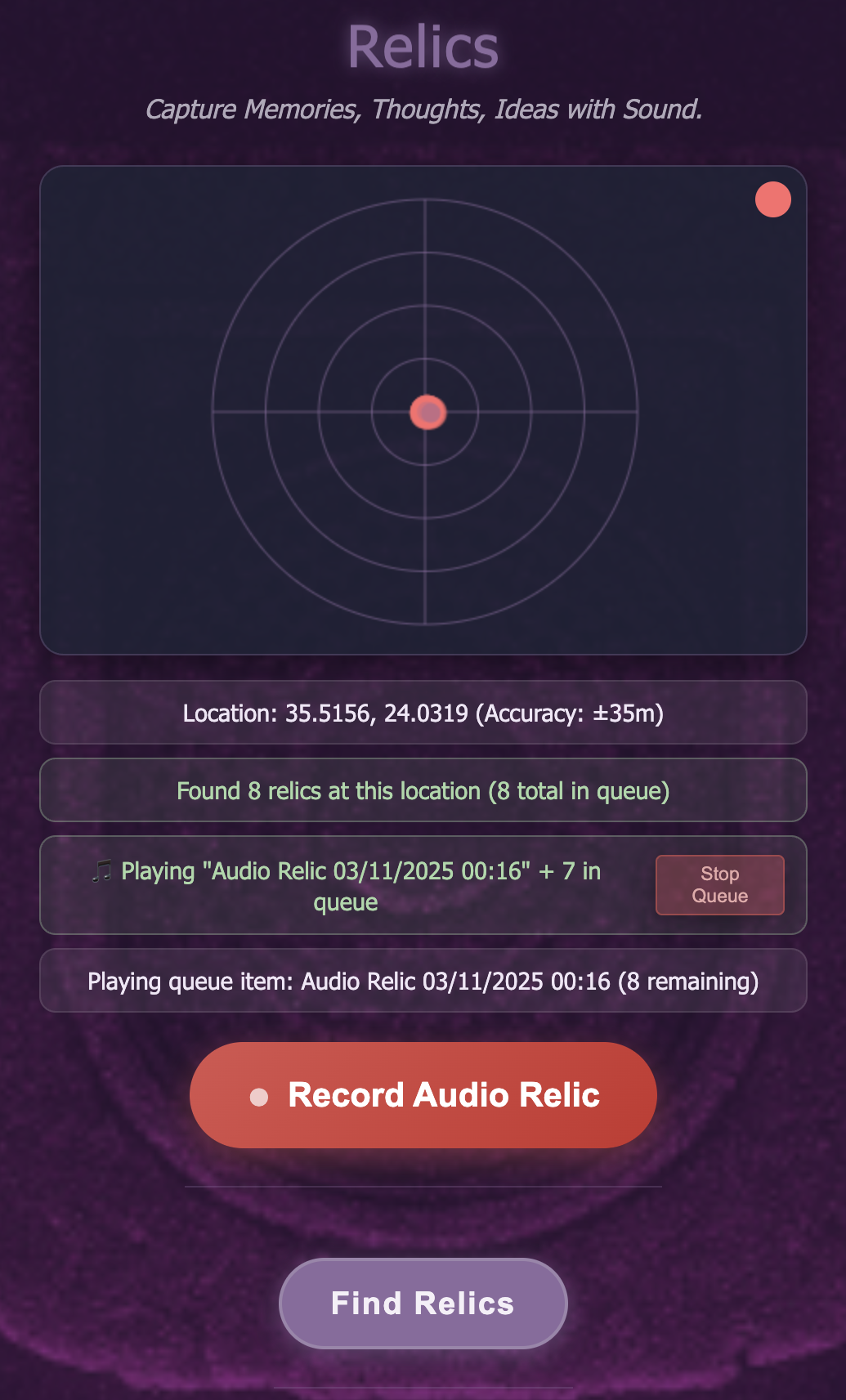
A memoir, a diary, a sound log - Relics tags audio notes to GPS positions. It combines the intimacy of audio with the context of location, creating emotional and practical connections. Each memory becomes not just a recording, but a timestamped, geolocated moment in someone's life journey.
- Assign & Search by Tags.
- Export Recordings.
- Live Map View.
- Radar Navigation View.
- Triggering Customization.
- NEW: Share public messages with customizable durations (24 hours, 1 month, 1 year, or permanent).
- Become a Beta Tester for this app.
Synesthetic Relics Scenarios
Travel Notes
Keep audio memories, speak or soundscapes.
Audio Journaling
Record thoughts and reflections tied to specific places.
Reminder
Record daily affirmations in your morning walk location. Record aspirations at meaningful locations (viewpoints, inspirational spots).
Public Messages
Leave temporary public audio messages at special locations for others to discover. Share thoughts at a scenic viewpoint for a day or leave a permanent message at a historical site.
Sound Hunt

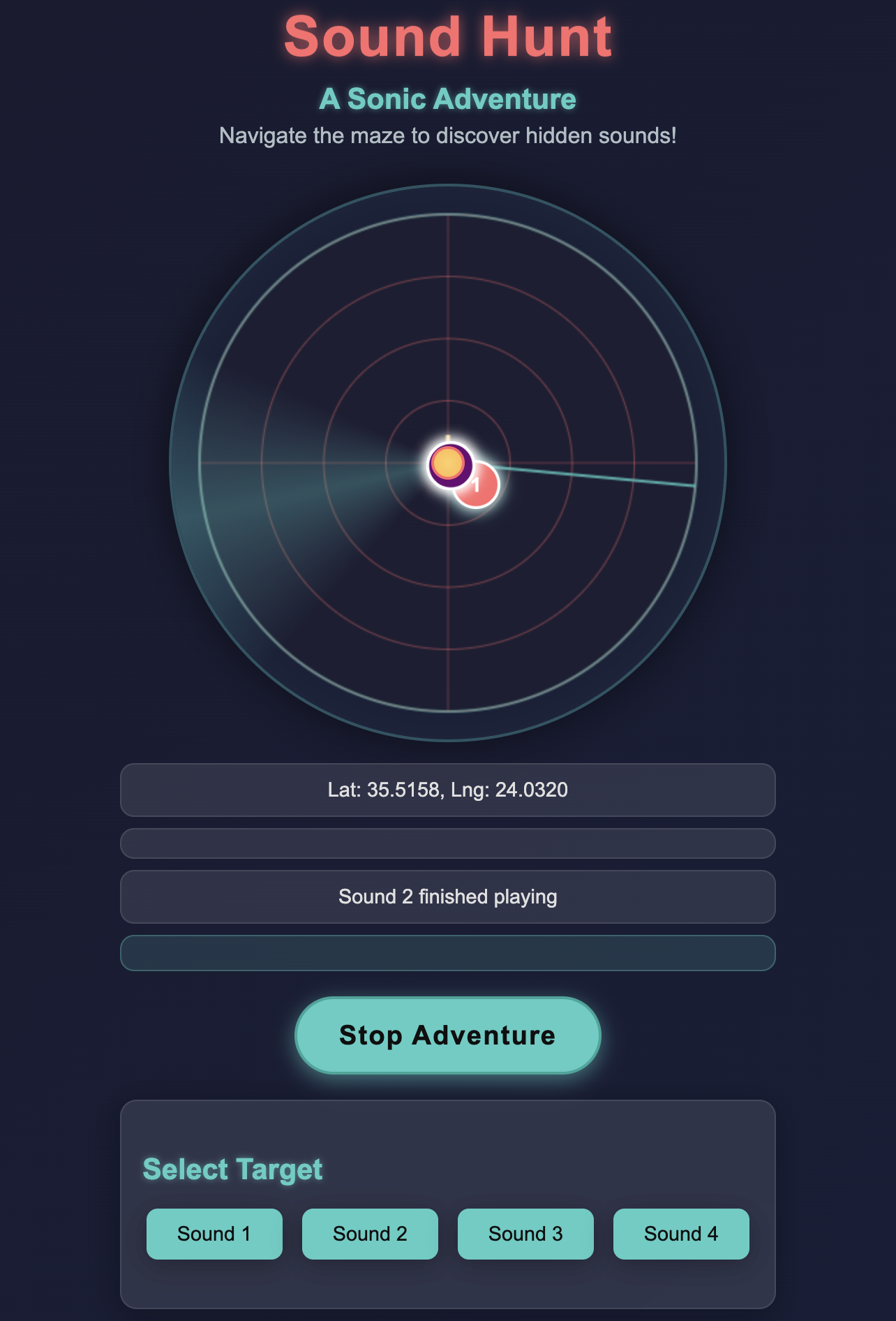
Sound Hunt transform your surroundings into an interactive audio playground Record a messsage or import audio files, then challenge friends to find them. Follow audio cues that grow stronger as you approach each hidden sound.
- Four location sound placement
- On-device recording and audio import
- Audio-based navigation system
- Live sound mixing during gameplay
- Android-native application
- Comprehensive HELP section for detailed guidance
- Become a Beta Tester for this app.
Creative Applications
Outdoor Gaming
Create audio scavenger hunts in parks or urban environments.
Audio Puzzles
Create secret messages designed for players to collect all sounds for final meaning (e.g., each sound represents part of a code).
Interactive Sound Installations
Trigger sounds in specific locations for artistic means.
Getting Started
Sound Hunt uses your device's GPS and audio capabilities to help you find hidden sounds in your environment. Follow these steps to begin:
- Tap "Start Tracking" to enable GPS and audio playback.
- Select a target from the "Select Target" section to begin hunting for a specific sound.
- Use the compass to navigate toward the target. The arrow points in the direction of the sound.
- Listen for beeps that get faster as you get closer to the target (within 30 meters).
- When you're within 5 meters, the sound will play continuously, and the target will be marked as found.
Features
Explore the following features to enhance your experience:
- Mixer: Adjust volume of each sound using the sliders.
- Controls: Enable/disable compass, toggle sound on/off or reset the app.
- Collected Sounds: Track which sounds you've found (marked with a green dot).
- Manual Mode: Set your own GPS points and record custom sounds for each target.
Blowback

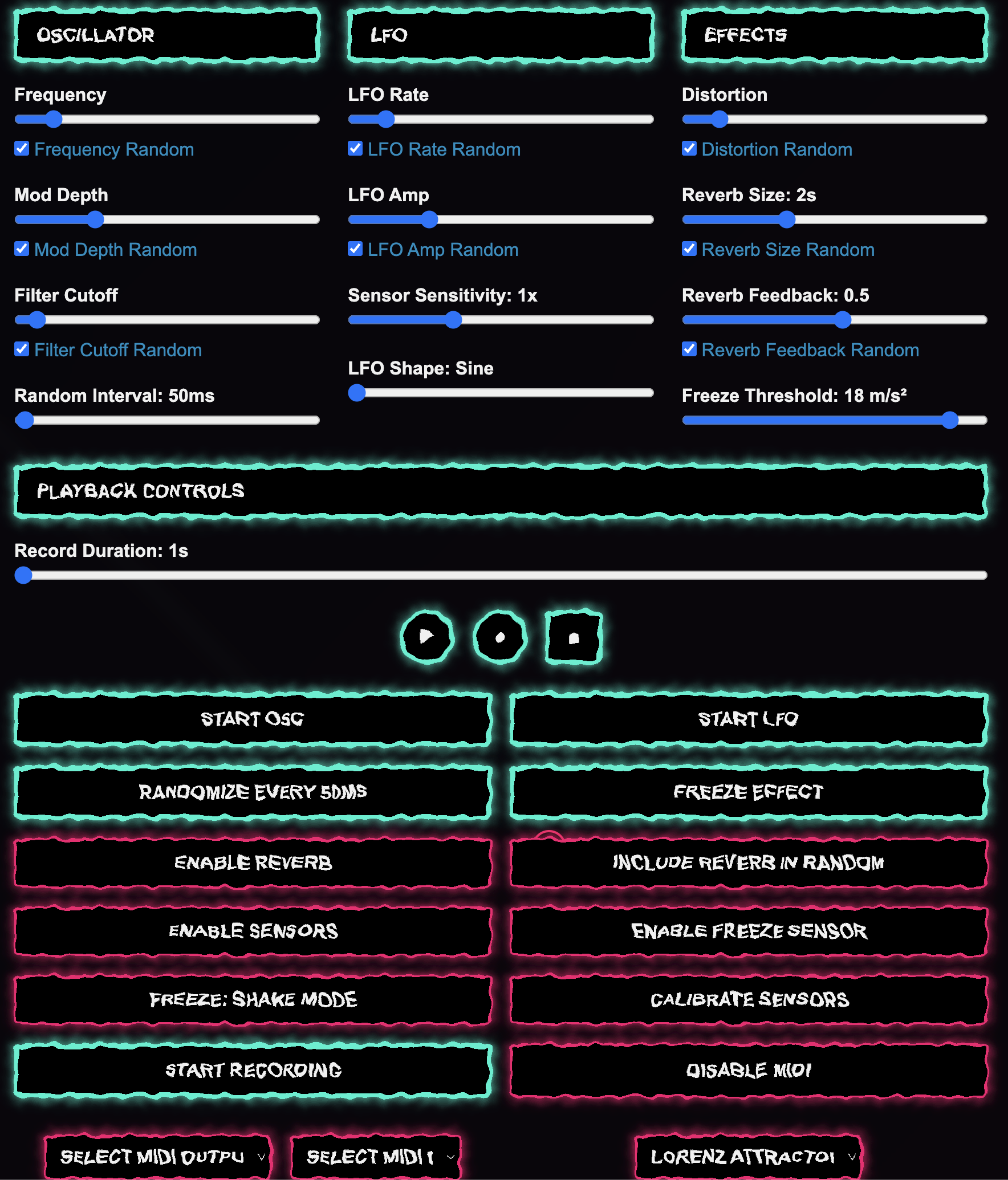
A responsive phase modulation synthesizer focused on physical interaction. Control synthesis parameters through MIDI (Android On development), your phone's built-in sensors or Chaotic Attractors algorithms. with randomization options ranging from standard algorithms to chaotic systems (Lorenz, Rössler and Chua attractors). A macOS version is in development.
- Sliders with looping options
- Modulated reverb and freeze
- Built-in audio recording
- MIDI
- Randomization modes including chaotic algorithms
- Modulation matrix
- Perform Mode
- Mobile sensor integration (accelerometer)
- Android and macOS (in development) versions
- Comprehensive HELP section for detailed guidance
- Become a Beta Tester for this app.
Creative Applications
External Control
Route chaotic attractor outputs to external gear via MIDI CC.
Hardware Integration
Control Blowback from your MIDI controllersn.
Performance Capture
Record your performance.
Motion-Based Synthesis
Use your phone's accelerometer to create dynamic, movement-responsive sounds in real time.
Oscillator Controls
- Frequency: Pitch (20-4000 Hz).
- Mod Depth: Modulation depth (0-2000 Hz).
- Filter Cutoff: Low-Pass Filter cutoff (60-20000 Hz).
- Random Interval: Randomization interval (20ms-5s), now initialized at 50ms.
FX Controls
- Distortion: Distortion amount (0-2).
- Reverb Size: Reverb impulse size (0.5-5s).
- Reverb Feedback: Reverb feedback (0-0.95).
- Freeze Threshold: Freeze trigger threshold (0-20 m/s²) for sensor-based freezing.
Visuals & Status
- Dot Visual: Minimal moving dot with trail.
- MIDI Status: Displays MIDI connection state.
- Sensors Status: Shows sensor activity and mode.
- Recording Status: Indicates recording state and duration.
Serendipity
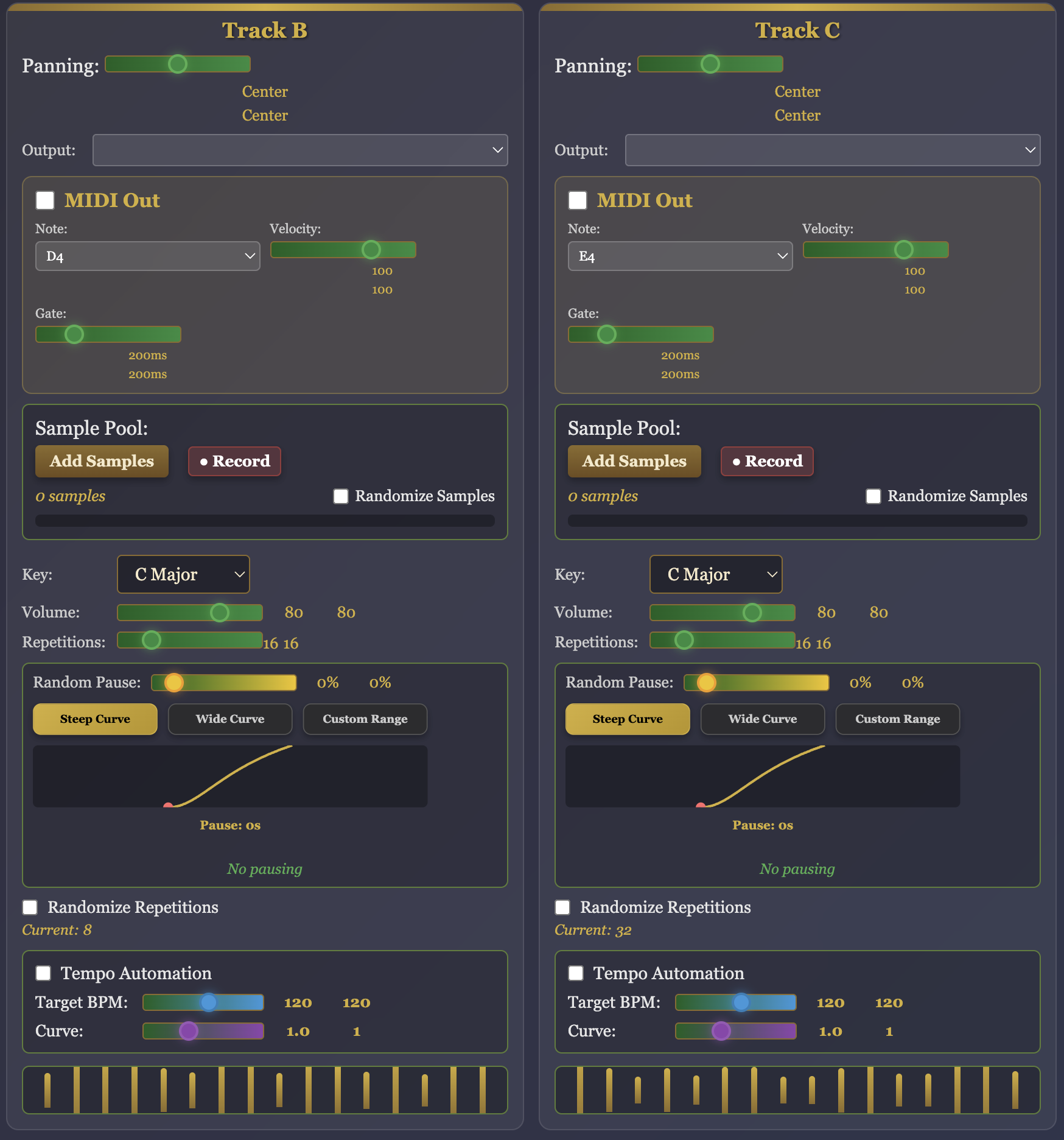
An algorithmic sequencer guided by chance through Markov chains, swith scale-aware transitions and intelligent randomization. Play with tempo curves, repetition randomization and pause probabilities. With MIDI out note-per-track and tempo sync.
- 8-track polyphonic sequencer with individual controls
- Markov chain-based sequence generation
- Scale-aware track transitions and harmony validation
- Tempo automation with customizable curves
- Intelligent repetition randomization
- Sample pool management with cycle randomization
- Multi-channel audio output routing
- MIDI implementation (Clock & Track Out)
- Advanced pause probability with curve controls
- Real-time audio recording and bounce to file
- Auto-randomize with intensity control
- Comprehensive sequence save/load system
Creative Applications
Generative Composition
Use scale validation to create ever-evolving musical sequences that stay harmonically coherent.
Live Performance
Leverage tempo automation and randomization for dynamic and unpredictable moments.
Sample-Based Production
Utilize sample pools - one for each track - with cycle randomization, to create varied patterns from your audio library.
MIDI Integration
Control external hardware and software instruments with MIDI sequencing and automation.
Sequence Controls
- Markov Chains: Probabilistic track transitions with scale awareness.
- Playback Modes: Normal, reverse and random sequence navigation.
- Scale Validation: Automatic filtering of harmonically incompatible tracks.
- Batch Operations: Repeat and manipulate sequence sections in bulk.
Automation Controls
- Tempo Automation: Per-track BPM curves with customizable easing.
- Repetition Randomization: Musical time division-based variation.
- Pause Probability: Stochastic resting with curve-controlled durations.
- Auto-Randomize: Scheduled parameter randomization with intensity control.
Audio & MIDI
- Multi-Channel Output: 8 discrete per-track-outputs.
- Sample Pools: Dynamic sample management with cycle-based randomization.
- MIDI Mapping: Per-track MIDI output with note, velocity and gate control.
- Recording System: Real-time audio capture with tempo history tracking.
Drift
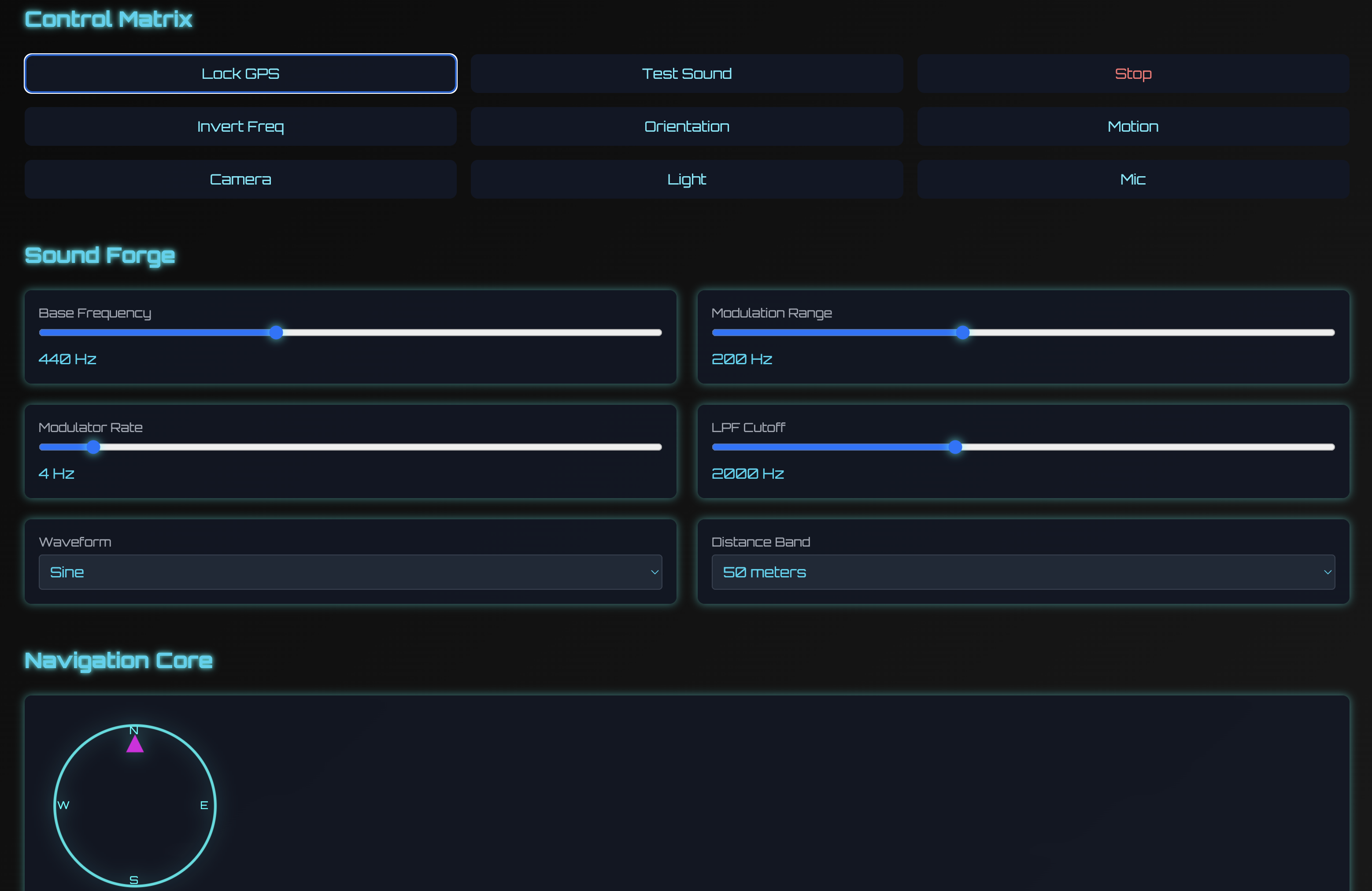
Drift is a Sensors and GPS driven FM Synthesizer. You lock a GPS Point and then drive the synth using locked point and your mobile phone sensors.
- Modulation Range.
- Modulator Rate.
- Distance From Locked Point.
- Simple Low Pass Filter.
- Invert Frequency for opposite effects.
- Light, Accelerometer, Camera, Orientation Sensors.
- Read HELP for in Depth Explanation of Features.
- Become a Beta Tester for this app.
Synesthetic Drift Scenarios
Geographic Soundscapes
Drift locks your current GPS point and applies modulation of certain parameters based on the distance from this point. Record a soundwalk where your city becomes a playable instrument.
Motion-Controlled Performances
Live electronics where body movements tweak FM chaos in real time. Just have your mobile device on you, connect via Bluetooth and enjoy.
Simple Performance Synth
With the option to control various parameters from [5] different user selectable mobile sensors, it's a fun instrument to play live. Add some FX on the device output for further sonic manipulation.
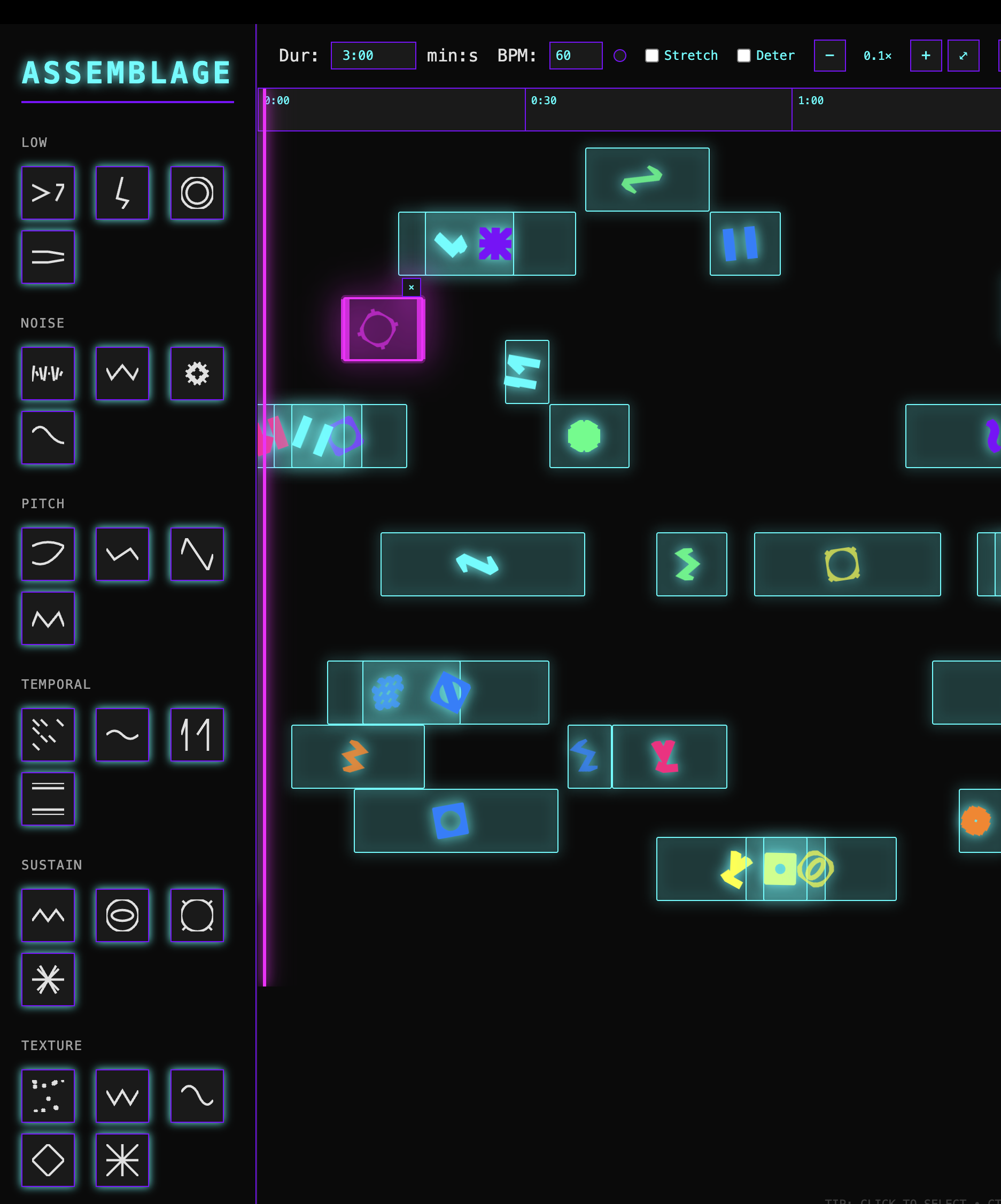
Assemblage
A freeform, desktop based, score editor (plus sample - midi sequencer) inspired by John Cage's Bracket Notation system. Cage used brackets to indicate flexible time windows where events could occur, embracing chance and indeterminacy in composition.
- Place and adjust time Brackets with no constraints.
- Create custom symbols.
- Set different colors for different instruments.
- Use rotation and color intensity for more variations.
- Display notes and number of repetitions within brackets.
- Load samples in sequencer mode, per symbol or per bracket.
- Generate scores based on Markov, Cellular Automata & Chaotic Attractor algorithms.
- Polyrhythmic Pattern Engine & extended stochastic functions.
- Set MIDI notes to symbols with optional randomization.
- Export audio.
- Read included HELP for full explanation of Features.
Synesthetic Assemblage Scenarios
Conceptual Scores
Drag and drop brackets to visualize your score. Play with other musicians, while each is using a different color to follow intructions.
MIDI sequencing
Generate sequencers automatically or use manual mode to set specific MIDI notes into individual symbols. Use various scales for more controlled musical results.
Sample Sequencing
Right click menu symbols to load samples. Adjust sample repeatitions and play them back using two different modes, deterministic or aleatoric.
Soundscape Analyzer
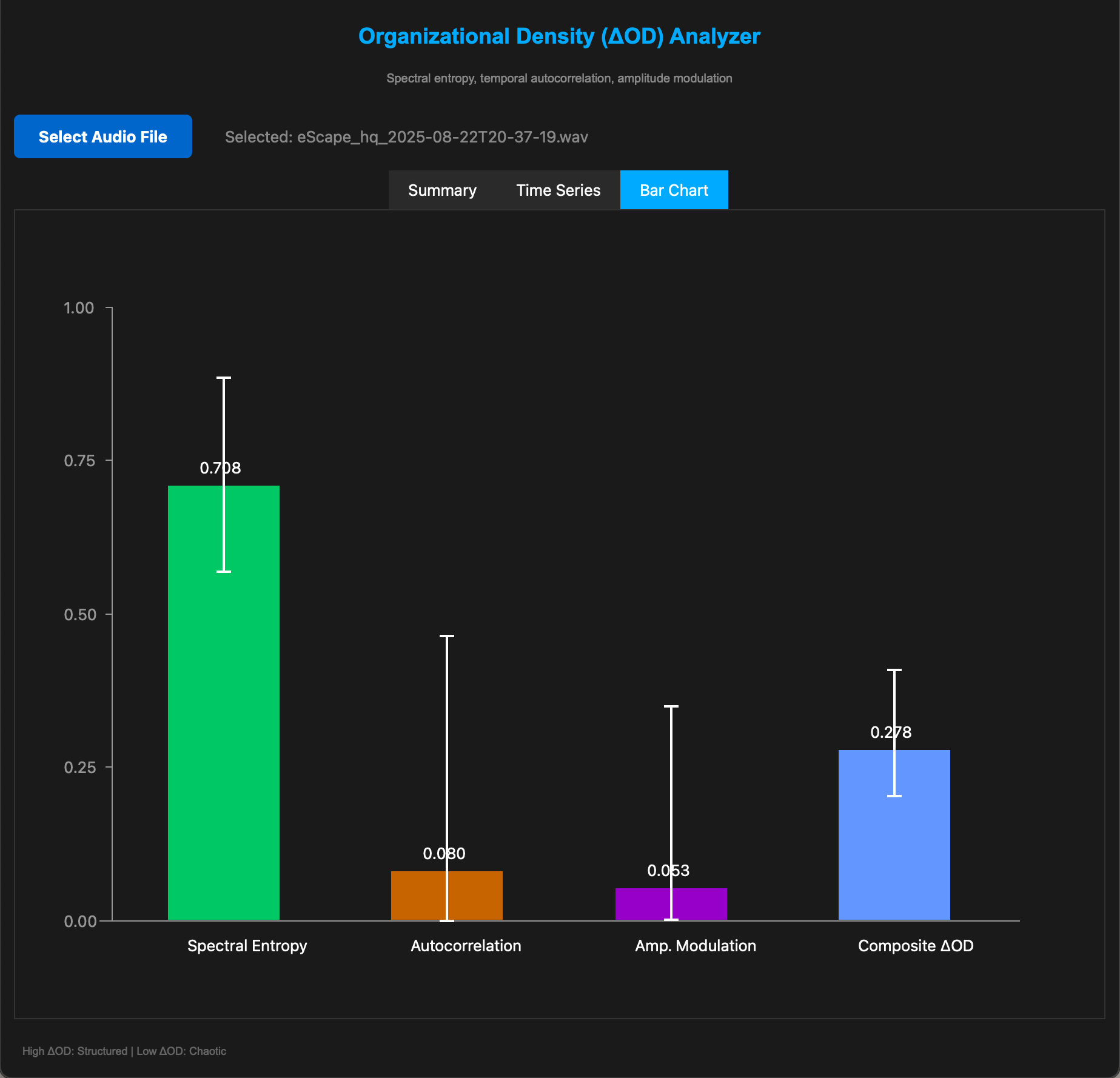
The Soundscape Analyzer is a real-time audio analysis tool designed for soundscape composers, field recordists and experimental musicians. It runs as a standalone macOs app, to transforms complex sonic characteristics into three intuitive metrics. Spectral entropy (frequency complexity), temporal autocorrelation (rhythmic periodicity) and amplitude modulation (dynamic variation), blending them into a single organizational density index that reveals how structured or chaotic a sound environment is.
- Spectral Entropy (Frequency Coherence).
- Autocorrelation (Periodicity).
- Amplitude Modulation (Dynamic Variation).
Practical Applications
Objective Vocabulary
The app provides quantifiable terms for subjective qualities. Instead of "this sounds chaotic," musicians can say "spectral entropy is 0.85, suggesting we reduce high-frequency content." This bridges technical and aesthetic discussions in collaborative settings.
Historical Analysis
Analyze canonical soundscape works. A piece registering ΔOD 0.9 throughout might indicate over-composition and vice-versa.
Listener Attention Modeling
High amplitude modulation combined with mid-range autocorrelation often correlates with "interesting but not overwhelming"—the zone that holds attention without causing fatigue.
General Use
The tool essentially externalizes listening—making the imperceptible dimensions of sound (statistical structure, temporal predictability) visible, allowing composers to work with precision on aspects previously managed only by intuition.
Layer Compatibility Testing
- Analyze individual layers separately, then sum them in a DAW and analyze the mix. If the combined ΔOD doesn't reflect the intended hierarchy (e.g., a subtle texture pushing the composite too high), equalization or level adjustments are needed before the mix becomes muddy.
Source Material Characterization
- MBefore committing field recordings to a project, batch-analyze them. Files with high spectral entropy but low autocorrelation make excellent "beds"—complex but arrhythmic backgrounds. High autocorrelation sources work as structural anchors or pulse generators. This replaces hours of auditioning with data-driven pre-selection.
Temporal Architecture
- The autocorrelation index reveals the "rhythmicity" of environmental recordings or generated textures. Composers can identify natural periodicities in field recordings—waves, machinery, biological rhythms—and align composed elements to these cycles or deliberately contrast against them. This transforms intuitive "feel" into measurable data.
Spin
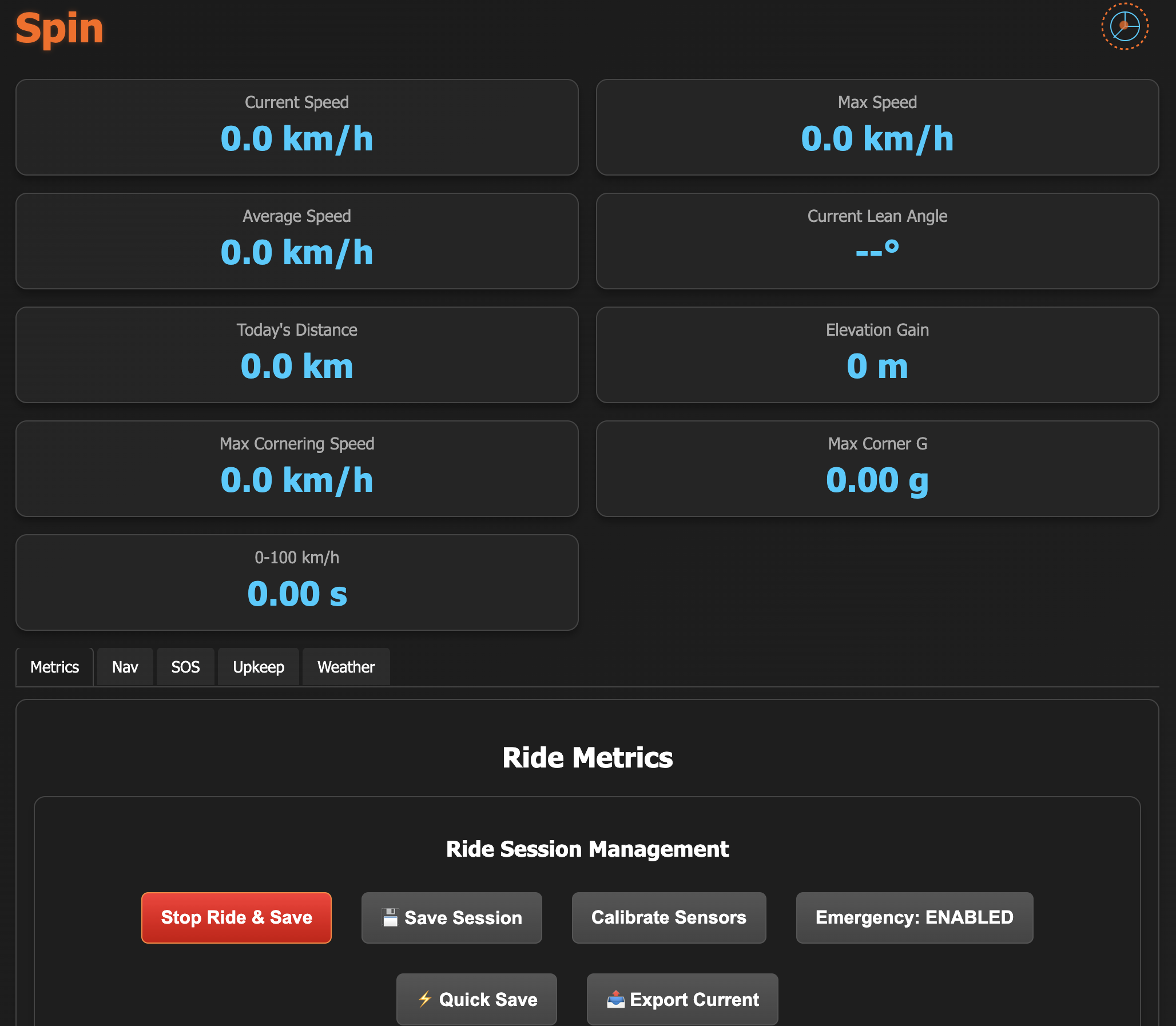
A spinoff in the collection, Spin combines comprehensive ride analytics with GPS navigation, engine health monitoring and safety features.
- Real-time performance dashboard
- Lean angle measurement and acceleration timing
- Ride session management with detailed statistics
- Engine RPM monitoring via audio analysis
- Engine health diagnostics (knock detection, exhaust monitoring)
- Impulse response calibration
- Emergency alert system
- Custom maintenance tracking
- Real-time weather intelligence
- All FindBack GPS features included
- Comprehensive HELP section for detailed guidance
- Become a Beta Tester for this app.
Practical Applications
Cornering Performance
Analyze cornering technique with GPS curvature detection, lean angle measurement, and G-force calculation.
Weather Awareness
Access global weather data plus hyperlocal conditions from official Greek government stations across Crete.
Automatic Location Tracking
Enable Auto Lock mode for hands-free GPS point registration during your rides.
Proactive Maintenance
Monitor engine health through sound frequency analysis, detecting issues before they become problems.
Initial Setup
- Mount phone securely on motorcycle in riding position
- Tap "Calibrate Sensors" in Navigation tab - keep phone steady for 5 seconds
- Calibation data are saved. You have to calibrate once and only if you later change phone position
- For more accurate results, calibrate on each session/li>
- Add emergency contacts in Emergency tab
- Set up maintenance items in Upkeep tab
During Ride
- Monitor Metrics tab for real-time performance data
- Use Navigation tab to lock parking positions when needed
- Triple-tap screen for quick enlarged stats overlay
- Watch header wheel animation match your speed
- Use Quick Save for important moments during ride
Performance Tracking
- Monitor cornering G-forces to improve technique and find limits safely
- Track acceleration times to measure performance improvements
- Use elevation data to plan routes and track climbing performance
- Analyze gear shift patterns to develop smoother riding habits
- Compare session data to track progress over time
Free Android Apps
Drift
A location-aware FM synthesizer that transforms movement into music using GPS and mobile sensors.
Download APK